 SPOT.
SPOT.
New in SPOT.: filters, QR codes and a smarter algorithm
We listened to your feedback, and here is a brand-new update! We fixed a whole lot of bugs and added new features, all to make discovering what's on even better.
Below is a quick rundown of everything we changed. But if you really want to discover it, the best thing to do is dive into SPOT. yourself.
New filters
Filtering got a serious upgrade! You can now easily filter by type of event, location, date… You'll find the filters at the top right of the Discover page, and a few taps later you are looking at your own personal selection.
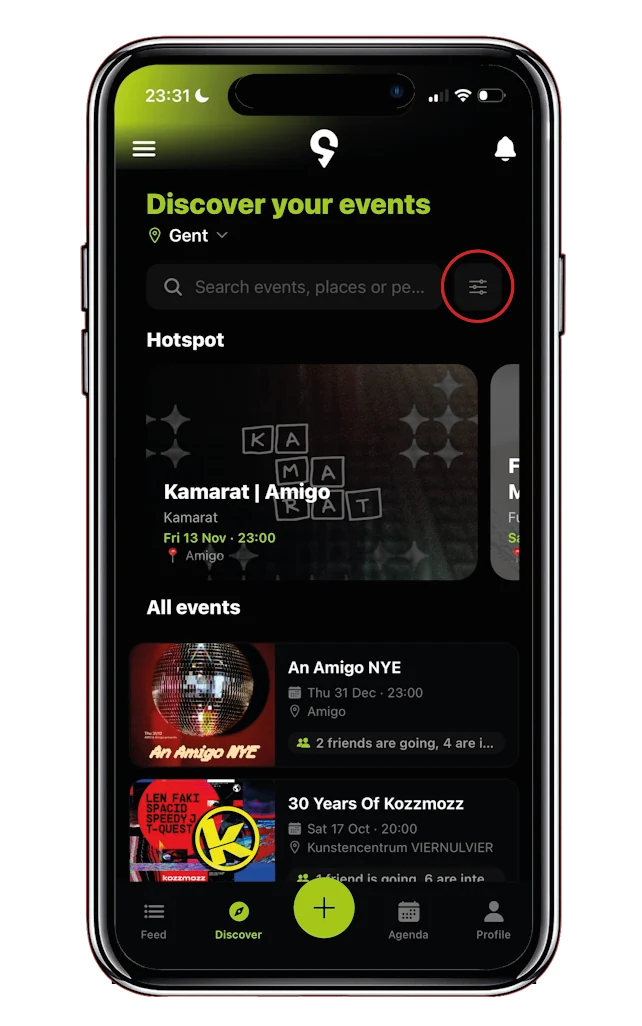
Looking for something to do next weekend? Set the filter to next weekend. In the mood to dive headfirst into the nightlife? Pick a few tags that make your kind of night out worthwhile… And so on!
On top of that, you can save your perfectly tuned filters and make them your own. No need to start from scratch every time: one tap and you are looking at your favourite nightlife events, open airs, clubs or whatever else you are into.
Adding friends just got oh so easy
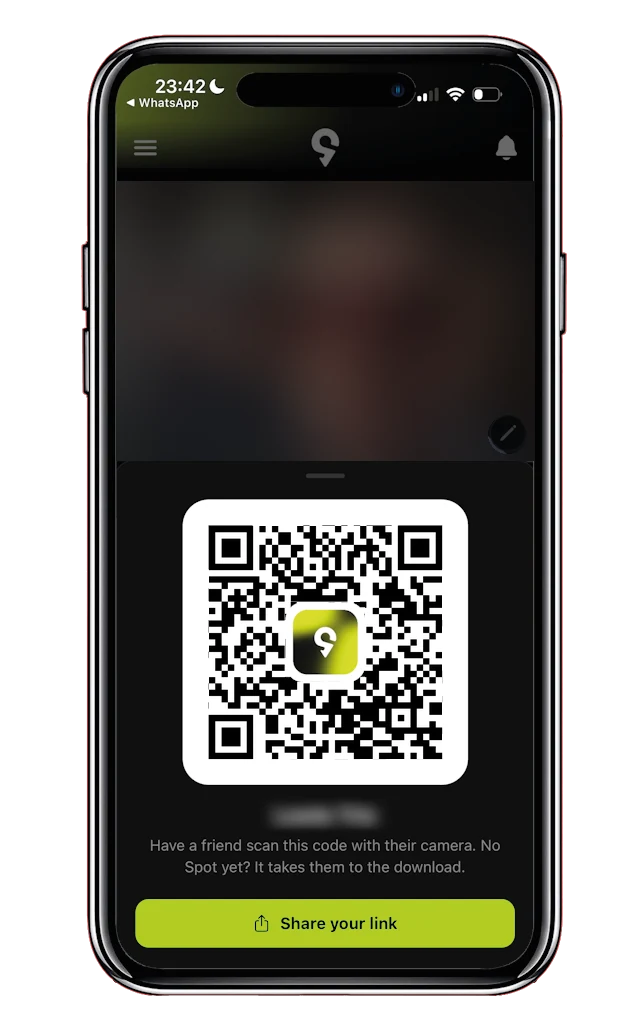
Add new friends in seconds with the built-in QR code that leads to your profile. At your next event, on the train or even on the terrace of your favourite café, a new friend is one scan away.
- Open your QR code
- Scan
- Discover together
Rather add someone from a distance? No problem. Share the link to your profile with the share button and voilà: you are connected.
Post an update in a private event
Invited to a private event? You can now share a short message in that event. It is a fun way to talk to the other guests, share how excited you are or, sadly, let everyone know you can't make it.
Suggest a new tag
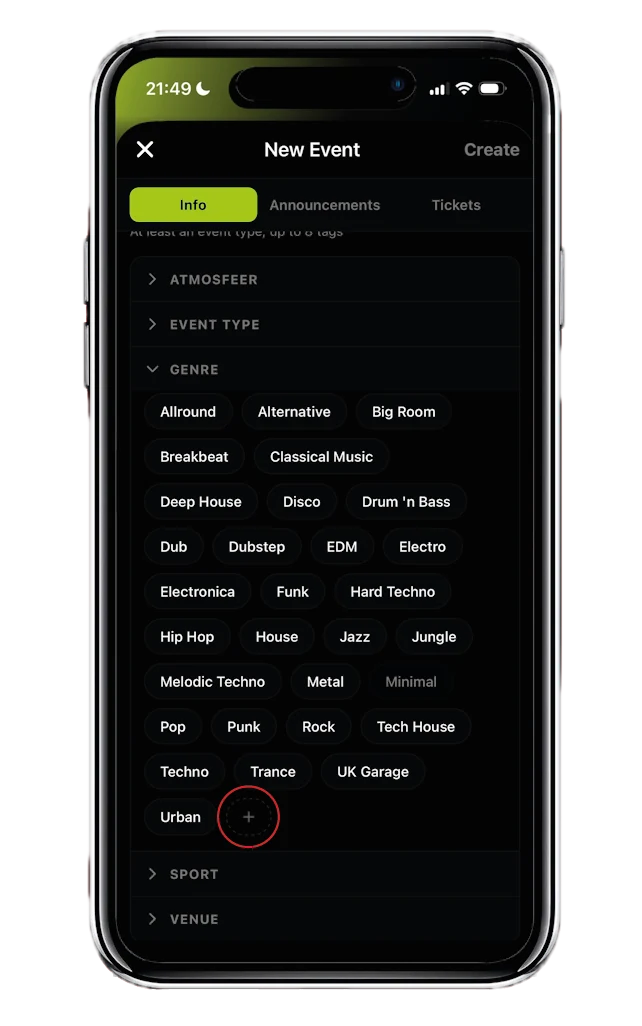
Creating a new event but can't find the perfect tag among the suggestions? No problem. With this new feature you can suggest a new tag yourself. So if you are organising an event with a genre, venue, vibe… that isn't in SPOT. yet, send in your suggestion and we will make sure the tag is created as soon as possible.
Choose who the organiser is
Creating a public event on behalf of an organisation, club or venue? You can now change the organiser yourself. Your own name is filled in by default, but you can simply replace it with the name of the organisation. The event page then shows only the organisation, and your announcements appear under that name too. You'll find it when you create or edit a public event.
The algorithm learns from what you do
Our algorithm got a serious boost too. Your Discover page is personalised based on your tags, what your friends are up to and the events you click on most. There is a whole system behind it, and it keeps learning from what you all do. So use SPOT. regularly: that is how it gets to know your taste, and how you discover the event scene without any effort.
Discover it yourself
SPOT. is free on iPhone and Android.